How credits work
Credits are what you spend to make finished clips in Cliphi. Here is what costs credits, what is free, and where to see your balance.
Credits are what you spend to make finished clips. You start with some free credits so you can try Cliphi out, and you only spend them when you actually make a clip to keep.
What costs credits
- Making a final clip. When you tap Get Clip to turn a preview into the finished file, that is the main thing credits are for. A longer clip costs a little more than a short one.
- Processing a video. When Cliphi first goes through your video to find the moments, it uses a small amount. This part is tiny compared to making clips.
What's free
- Looking around. Playing your clips, trying different looks, and switching the wording all cost nothing. Nothing is charged until you make a final clip.
- Finding more clips. Asking Cliphi to look through the video again with Find More is free. You only spend credits on the ones you actually make.
- Downloading again. Once you have made a clip, you can download it as many times as you like without spending more.
A couple of things to know
- Remaking a clip costs again. If you change a clip after you have made it and make it again, that is a new final clip, so it uses credits again. Get the clip looking right in the preview first, then make it once.
- Longer clips cost a little more. Since a longer clip takes more to make, it uses a few more credits than a short one.
Where to see your balance
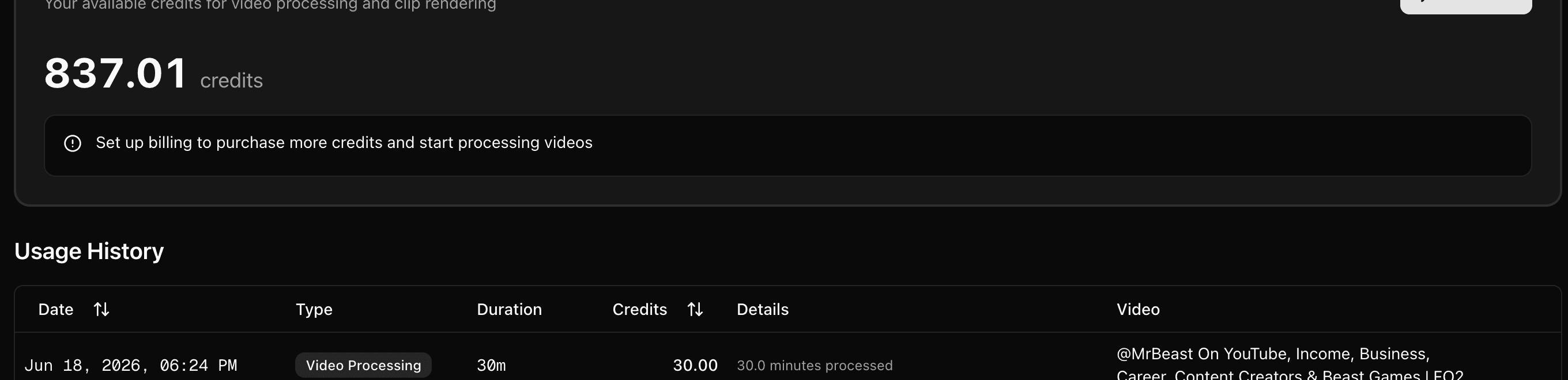
Open Usage from the menu to see how many credits you have left and a history of what you have used. Run low and you can top up right there.
Running low?
On the Usage page you can Subscribe for a regular batch of credits, or buy a one-off pack. Pick whichever fits how often you make clips.
What's next
Last updated on