Turn a podcast into clips
A podcast episode is full of clip-worthy moments. Paste its YouTube link and Cliphi pulls out the best bits with captions, ready to post.
Podcasts are some of the best material for short clips. They are all talk, so there is usually a strong line, a hot take, or a funny moment every few minutes. Cliphi listens to the whole episode, finds those moments, and turns each one into a short clip with captions on it.
Before you start
Most podcasts are on YouTube, so the easiest way is to paste the episode's YouTube link. Open the episode on YouTube and copy the link from your browser's address bar. If your episode is a file on your computer instead, you can upload it directly.
Steps
1. Paste the episode link
On the Cliphi home page, paste the podcast's YouTube link into the box and select Get clips.

2. Choose how much to use
Episodes are long, so Cliphi shows you the video and lets you pick. Use the whole episode, jump to a chapter, or drag the handles to a section. If you are not sure, leave it on the whole thing. Then select Continue.
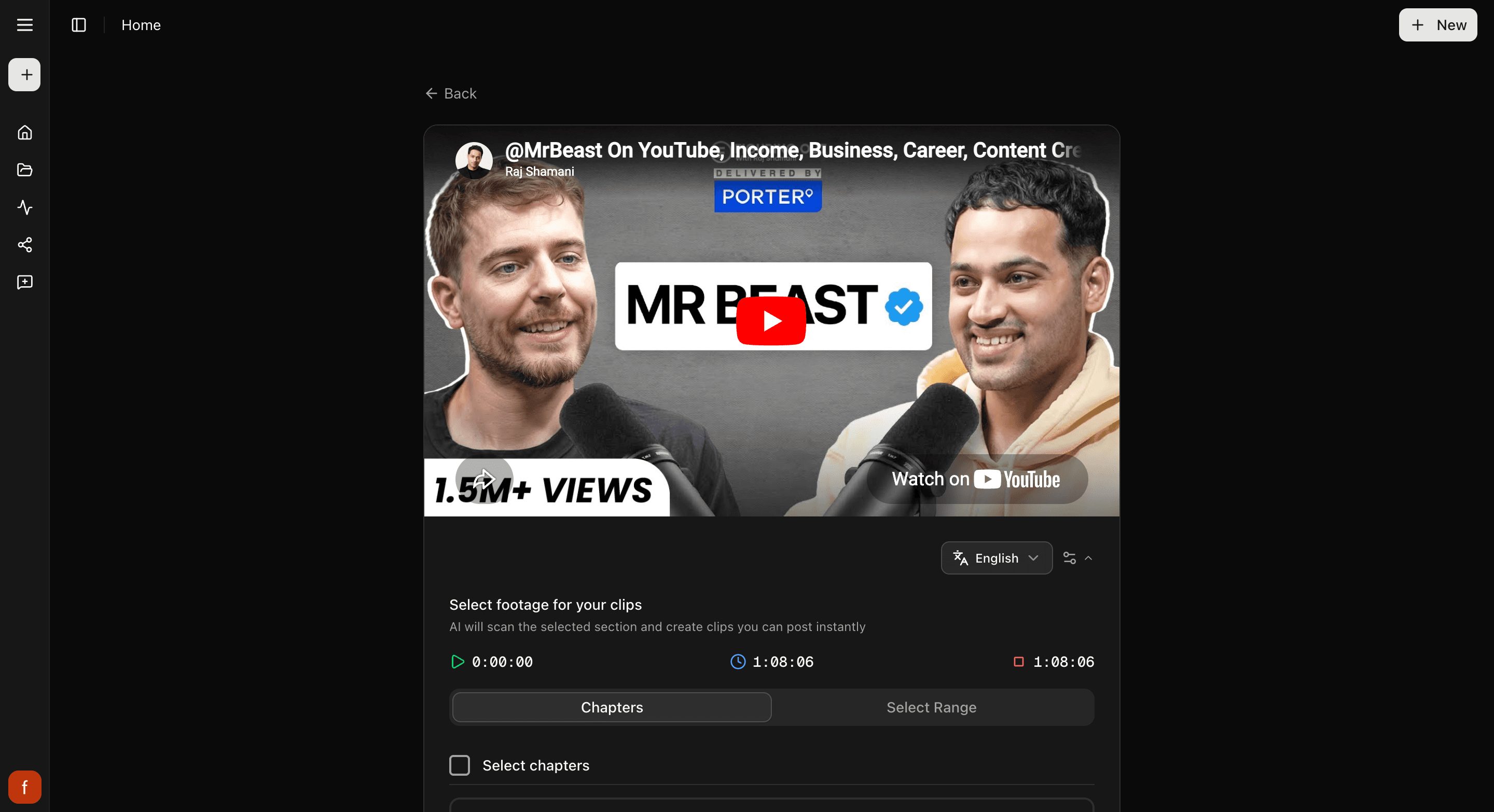
3. Look through your clips
Cliphi makes your clips and they show up one at a time. With one or two people on the mic, it keeps whoever is talking in the frame as it cuts to the tall shape, so each clip is ready to post.
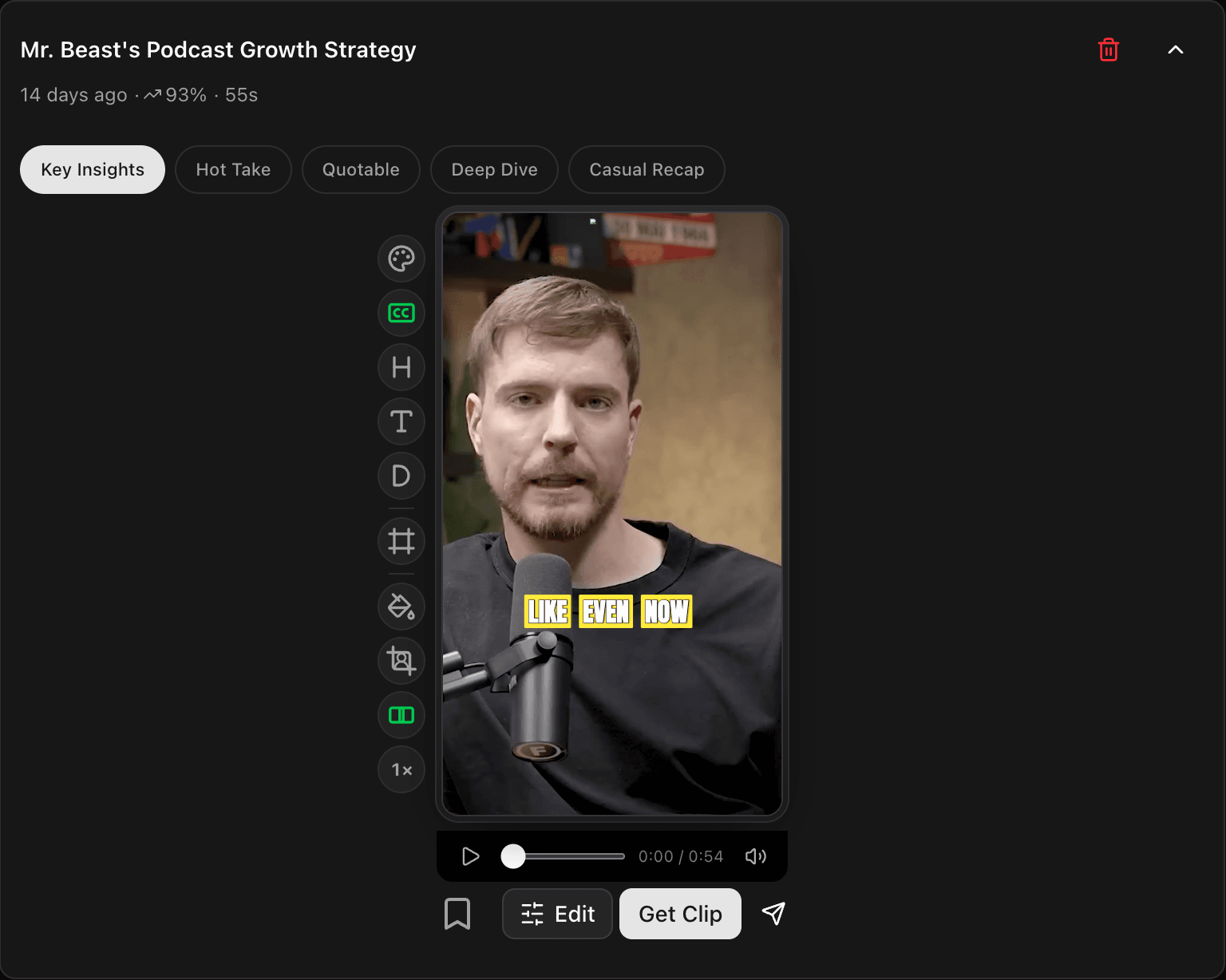
4. Tweak and post
Open a clip to change the look with the controls down the side, then tap Get Clip to make the final version and download it, or Share to post it.
Quick check before you post
- Watch the whole clip through.
- Whoever is talking stays in frame.
- The captions read clearly and sit clear of the edges.
Related
- New to Cliphi? Make your first clips.
- Episode is a file? Upload your own video.
- What each control does: The quick edit rail.
- Posting to TikTok? Turn a podcast into a TikTok.
- Posting to Shorts? Podcast to YouTube Shorts.
- Posting to Reels? Podcast to Instagram Reels.
Last updated on