Change the clip speed
Play a clip a little faster or slower. Here is how to change the speed, and when it helps.
Sometimes a clip is better a touch faster, like when someone talks slowly or a moment drags. Other times a slower moment lands harder. You can change the speed of any clip.
Steps
1. Open the Speed controls
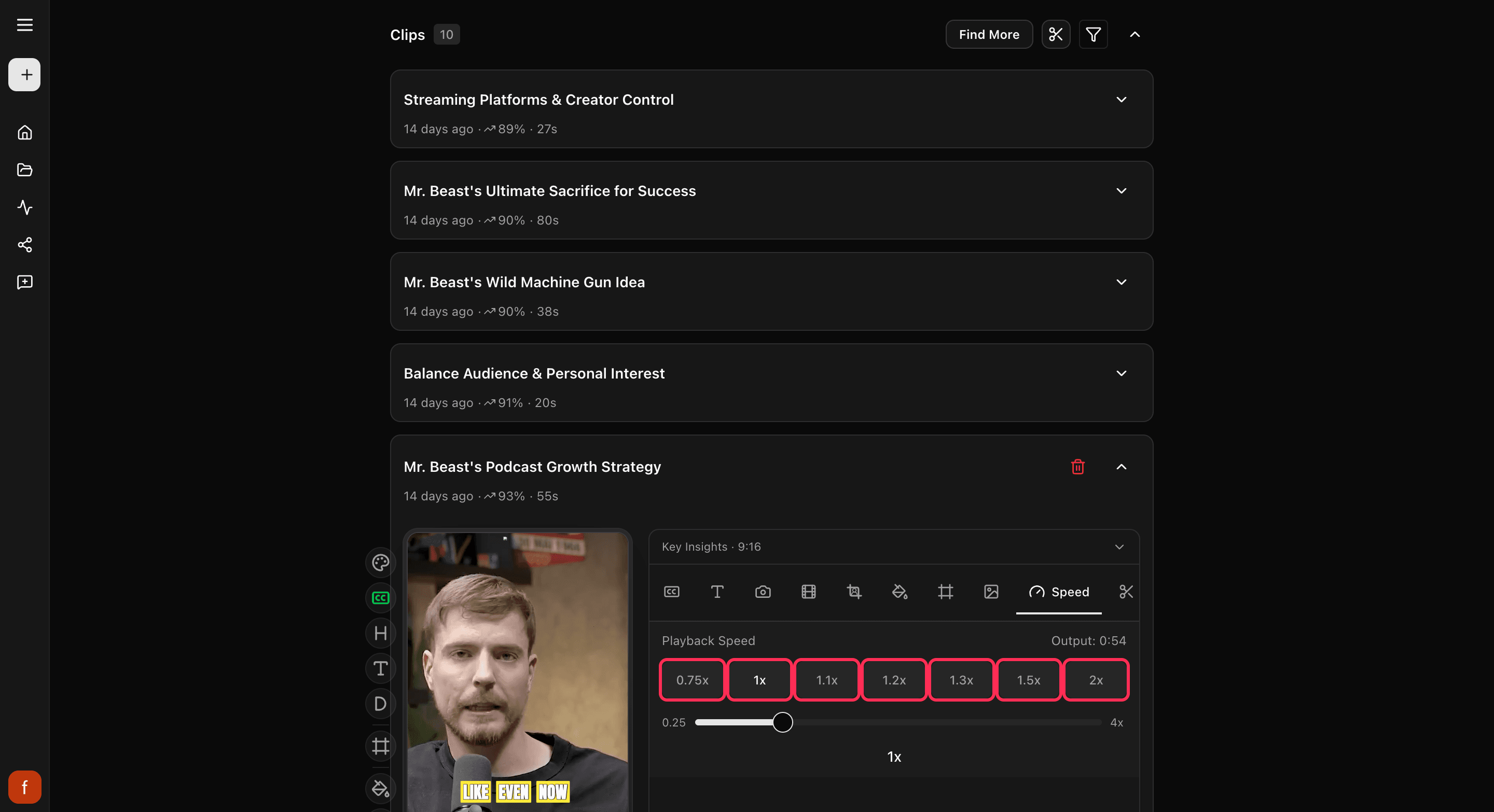
Open the clip and tap Speed.
2. Pick a speed
Tap one of the buttons, from a touch slower than normal up to twice as fast. Want something in between, or even slower or faster than that? Drag the slider. As you change it, Cliphi shows you how long the finished clip will be.
When to use it
- A little faster keeps a slow stretch moving, so people do not scroll away.
- Slower gives a big line or a reaction room to land.
Most talking clips feel natural just slightly sped up. There is also a quick Speed button on the row of controls down the side that steps through the most common speeds.
Quick check before you Get Clip
- The talking still sounds natural, not chipmunky.
- The captions are not flying by too fast to read.
- The new length still works for where you are posting.
Good to know
If the clip has a reaction recorded on it, speed stays locked at normal so your recording keeps its timing. Remove the reaction first if you want a different speed.
What's next
- What every side control does: The quick edit rail.
- New to Cliphi? Make your first clips.
Last updated on