Get the full transcript
Cliphi writes out everything said in your video. Here is how to read it, search it, and download it as text or subtitles.
Cliphi listens to your whole video and writes out every word. You can read the full transcript, search it to jump to a moment, and download it as plain text or as a subtitle file to use somewhere else. Here is how.
1. Open the transcript
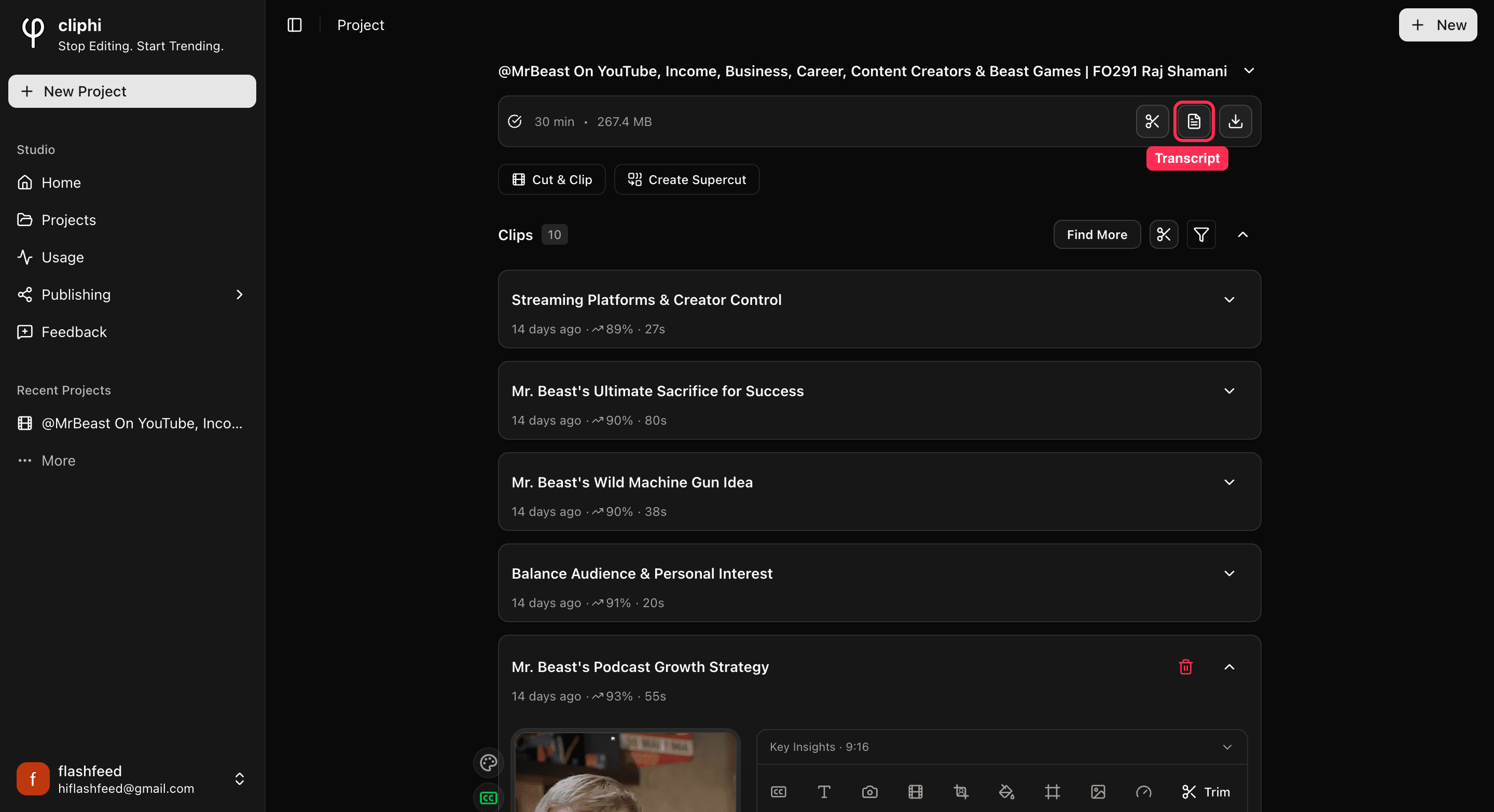
Go to your project page. On the video bar at the top, tap the Transcript button, the page icon that sits between the scissors and the download arrow. The transcript slides open in a panel on the right.
2. Find your way around
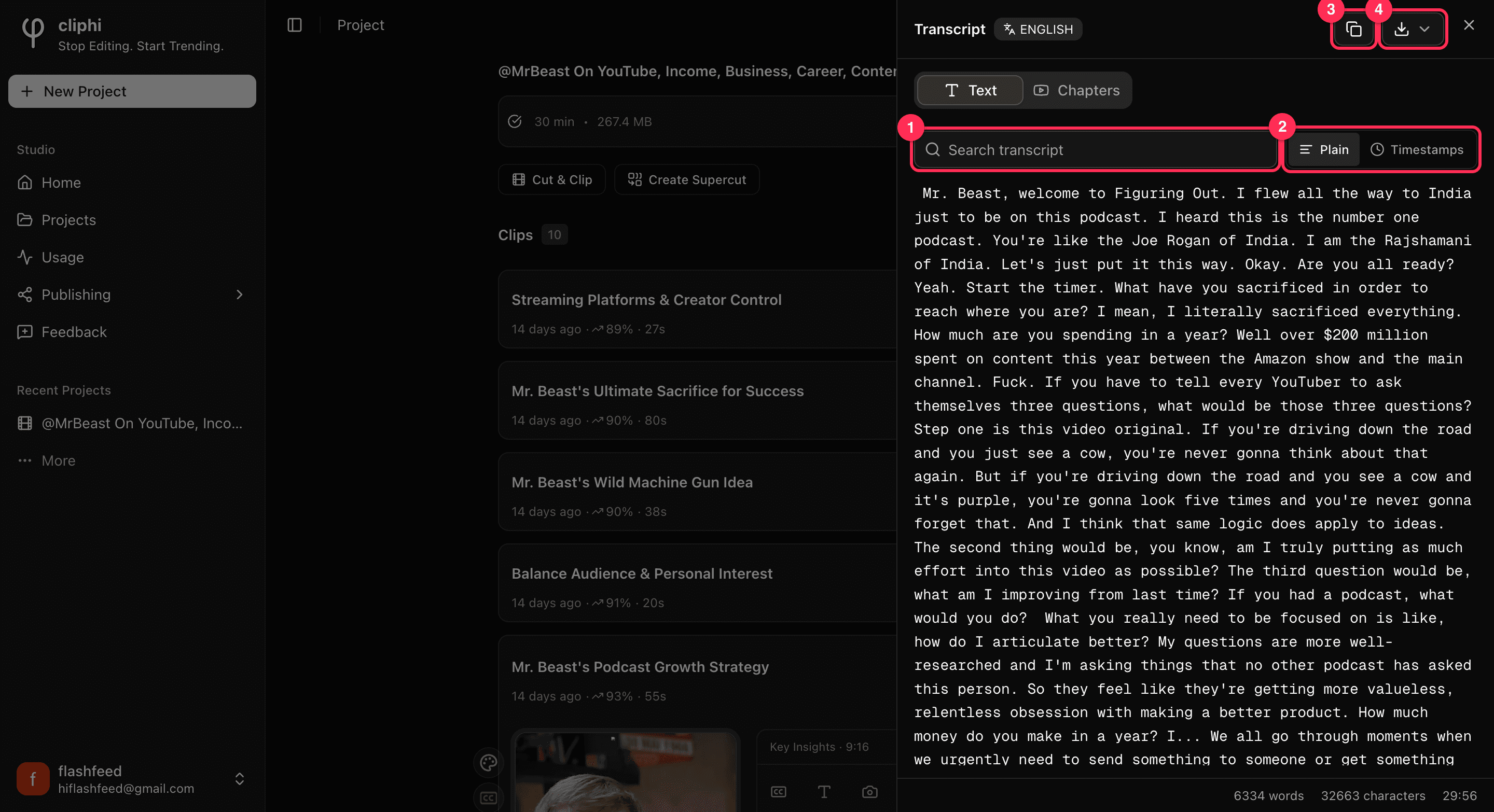
Everything you need is along the top of the panel:
- Search the whole transcript for a word or phrase.
- Switch between Plain text and Timestamps.
- Copy the whole transcript.
- Download it as a file.
3. Search for a moment
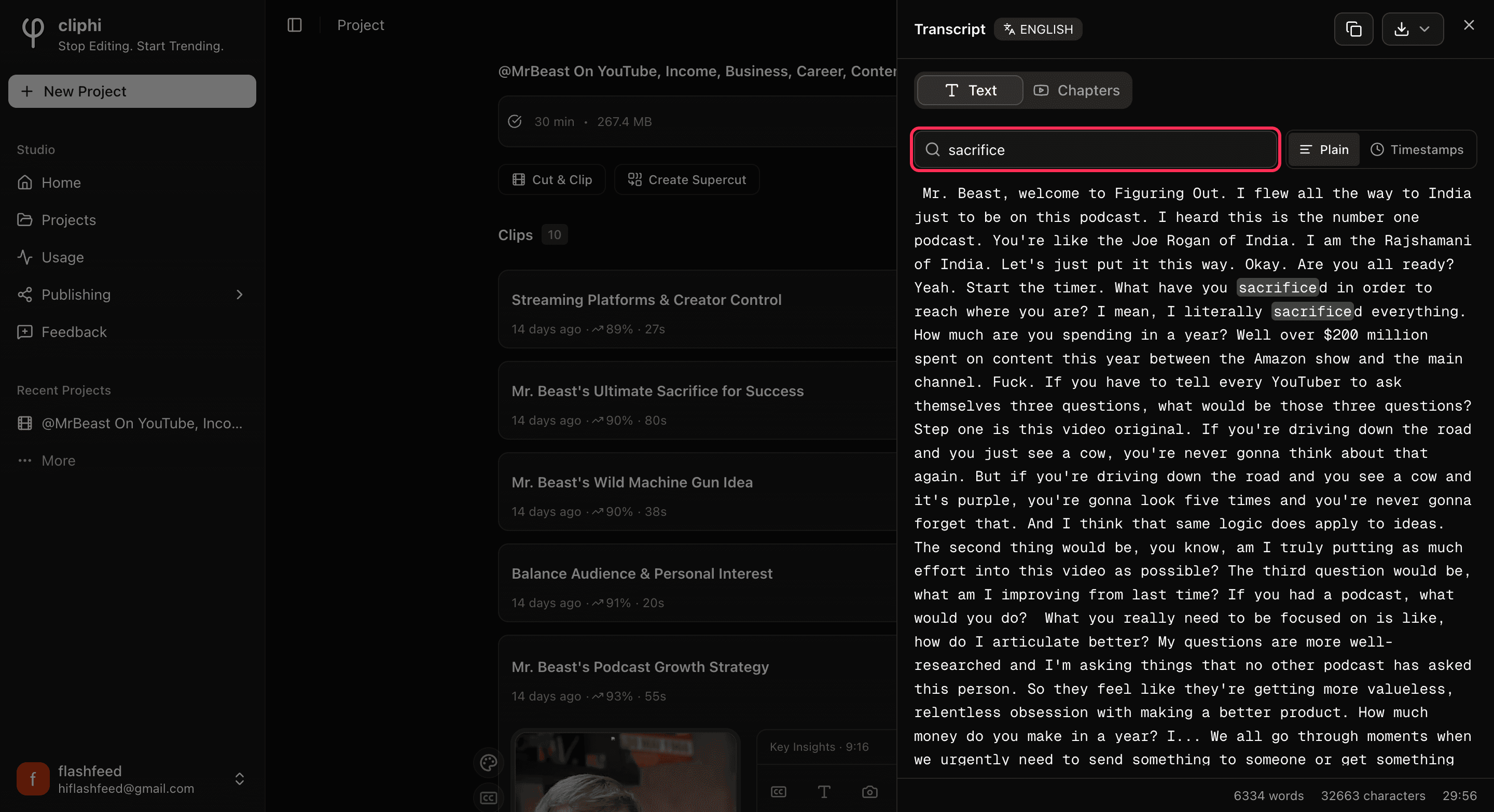
Type a word or phrase into the Search transcript box. The transcript filters down to the lines that match, so you can find exactly where something was said without scrolling through the whole thing.
4. Read it with timestamps
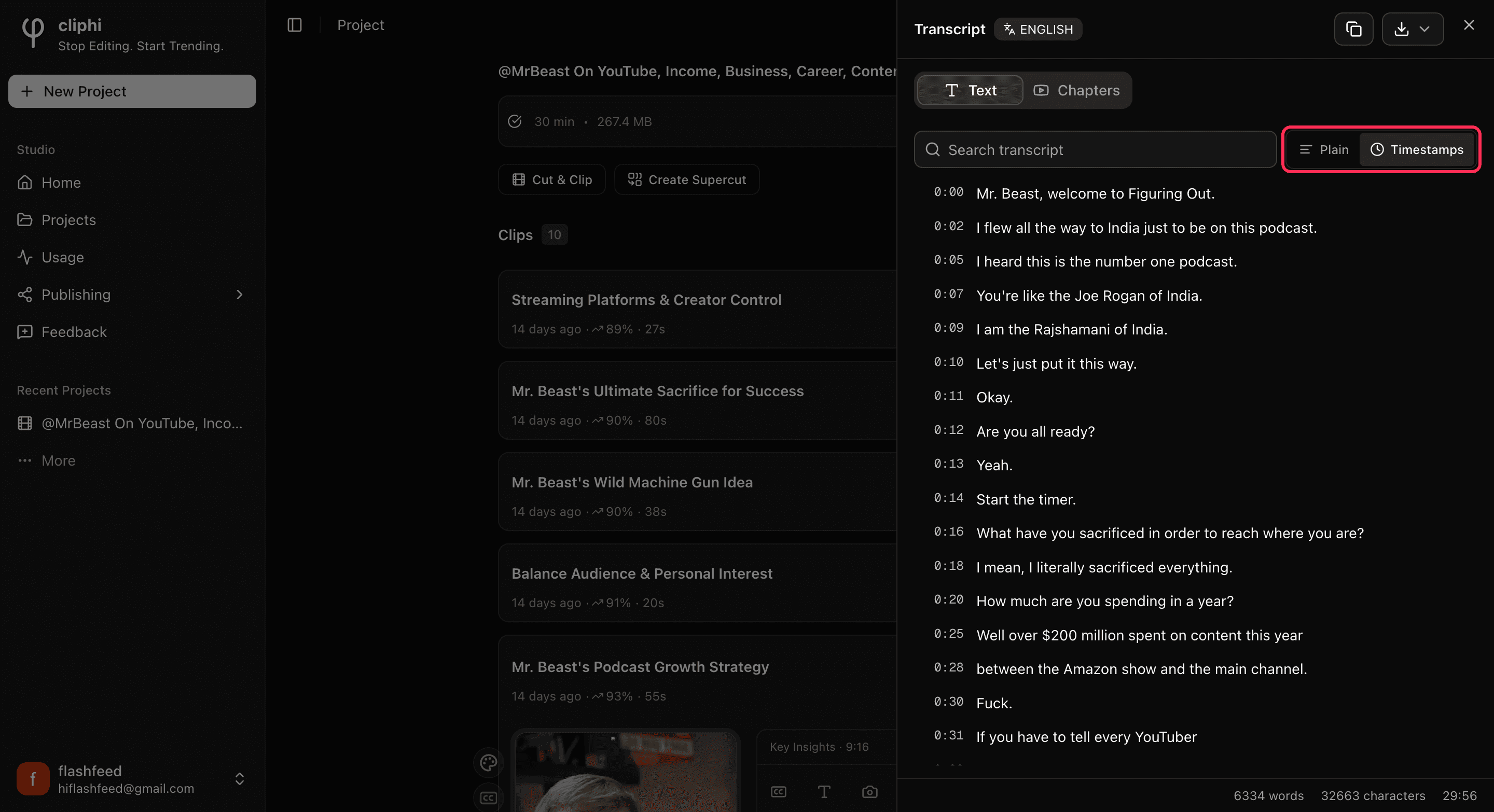
Tap Timestamps to show the time each line was said, down the left side. This is the easy way to find the exact spot for a clip, or to line the words up with the video. Tap Plain to go back to plain reading.
5. Copy or download it
- Copy grabs the whole transcript so you can paste it into your notes, a script, or a description.
- Download gives you a file. Pick Plain text (.txt) to read or edit it anywhere, or Subtitles (.srt) or (.vtt) if you want to add captions to a video in another app.
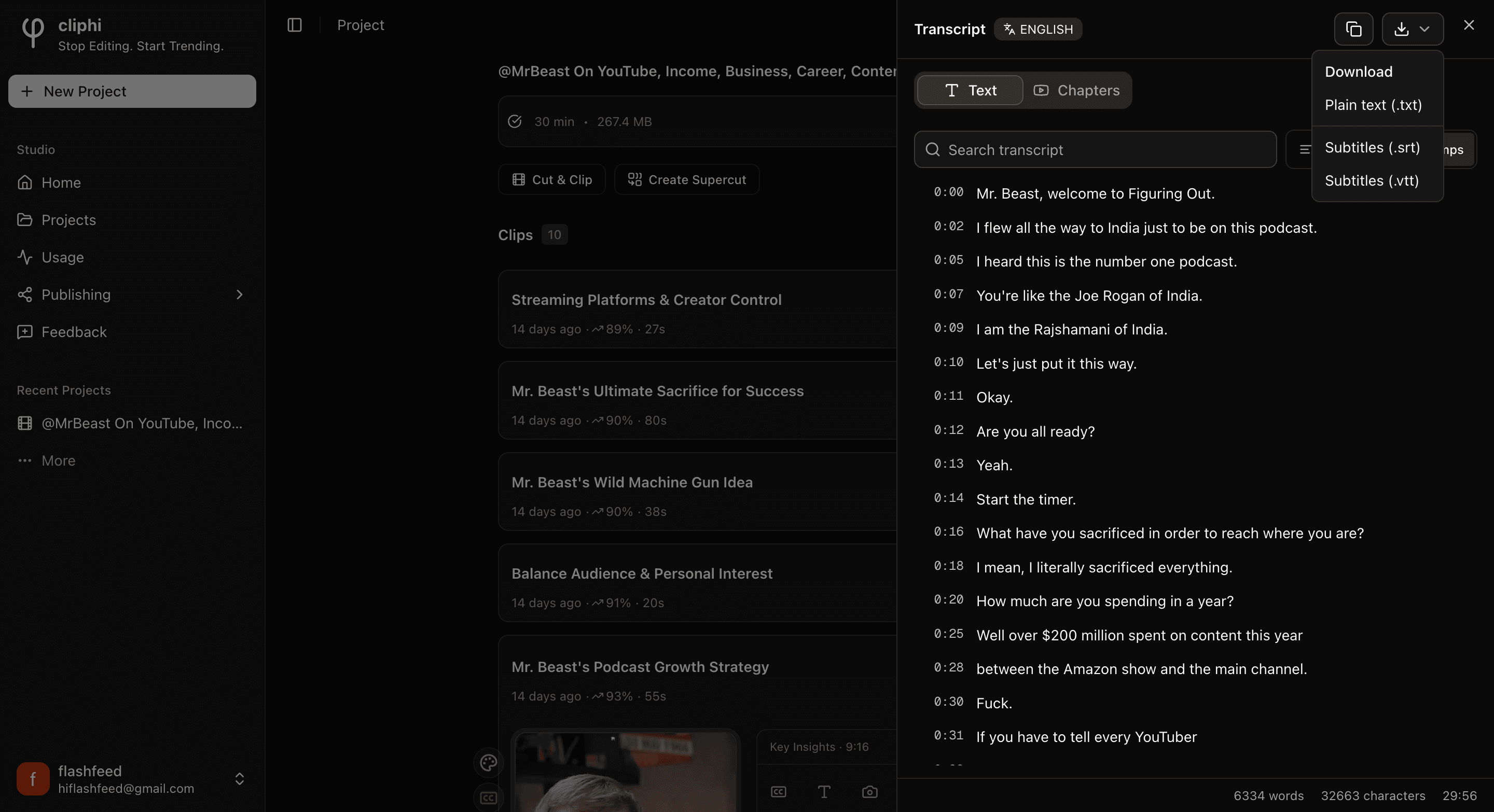
The subtitle files (.srt and .vtt) carry the timings, so they only show up when your transcript has timestamps.
Good to know
- It is free. Reading, searching, copying, and downloading the transcript does not cost any credits.
- Chapters. If your video came with chapters, the Chapters tab lists them so you can jump straight to a section.
What's next
- Save the original video too: Download the source video.
- Add captions to a clip instead: Change your caption style.
- Get to know your clips: A tour of your project page.
Last updated on