Fix a clip's framing
Cliphi keeps the person in frame for you. When it lands on the wrong spot, here is how to set the framing yourself.
Cliphi crops each clip to the tall shape and keeps whoever is talking in frame, following them as they move. Now and then it lands on the wrong spot, like when the video is already split into two people side by side. When that happens, you can set the framing yourself.
Steps
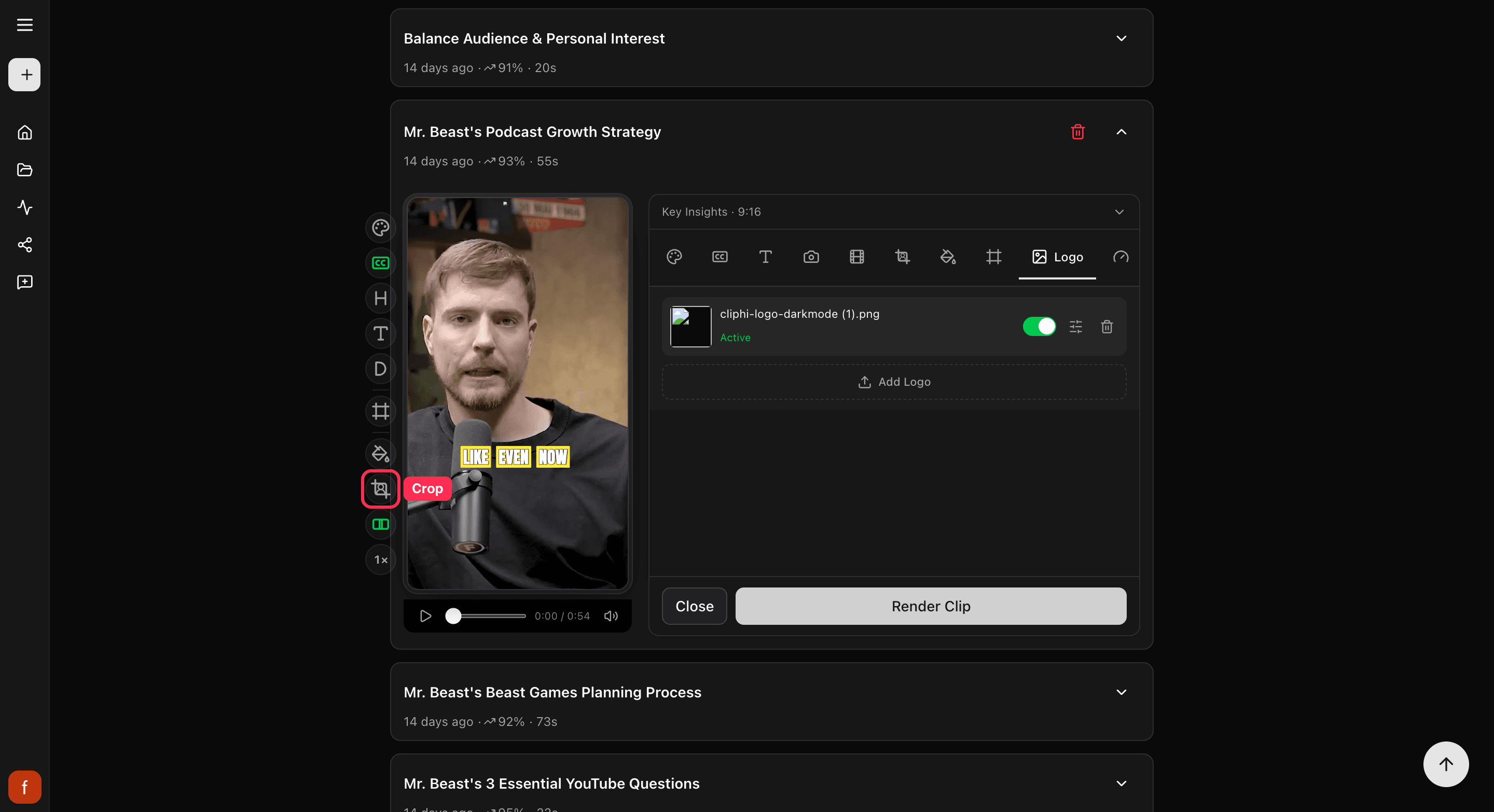
1. Find the Crop control
Open the clip and look at the row of controls down the side. Tap Crop.
2. Switch from Auto to a fixed frame
Crop starts on Auto, which follows the person as they move. Tap it to switch to a fixed frame, and tap again to cycle through the shapes. A fixed frame stays put for the whole clip, so use it when Auto keeps cutting to the wrong place.
The control glows green once a fixed frame is on. You will not see Crop on clips that are already wide, since there is nothing to reframe.
Quick check before you Get Clip
- The subject stays in frame the whole way through.
- Nobody is cut off at an edge or sitting too low.
- Play it once to be sure Auto is not jumping to the wrong spot.
What's next
- Need different framing for different parts of the clip? Reframe cut by cut.
- What every side control does: The quick edit rail.
- Keep text clear of app buttons: Keep text inside the safe zones.
Last updated on