#1 Video Clipping Tool

Long video in.
Viral clips out.

AI turns podcasts, livestreams, and long videos into scroll-stopping YouTube Shorts, TikToks & Reels, with captions and music, ready to post in minutes.

or

Using video you don't own may violate copyright laws. By continuing, you confirm you have the rights to use this video.

Real clips, real reach

Made with Cliphi.

Real clips, real reach, posted to YouTube Shorts, Instagram Reels, and Facebook Reels.

Works with your videos

Bring your long video from anywhere.

Paste your link from YouTube, Twitch, Kick, Instagram, TikTok, Facebook, X, Pinterest or Google Drive. Or upload your long video from your phone or computer.

  • Upload your long videoMP4, MOV or WebM, from your phone or computer
  • YouTubeVideos, livestreams, Shorts
  • TwitchVODs, clips, live streams
  • KickVODs, clips, streams
  • InstagramReels, posts, stories, highlights
  • TikTokVideos
  • FacebookVideos
  • XVideos
  • PinterestVideo pins
  • Google DriveYour video files

Livestreams too. Clips arrive while the stream is still live.

Get clips
Post to YouTube, TikTok,
Instagram and more

Make once. Post everywhere.

Connect your social accounts and send every clip straight to YouTube Shorts, TikTok, Instagram Reels, Facebook, Threads and X. Post now, or schedule it.

Get clips

One long video. Clips for every platform.

AI clipping

AI finds the best moments, delivered ready to post

Paste a podcast, gaming session, interview, tutorial, or any long video. Cliphi scans it, finds the most engaging moments, and scores each on viral potential.
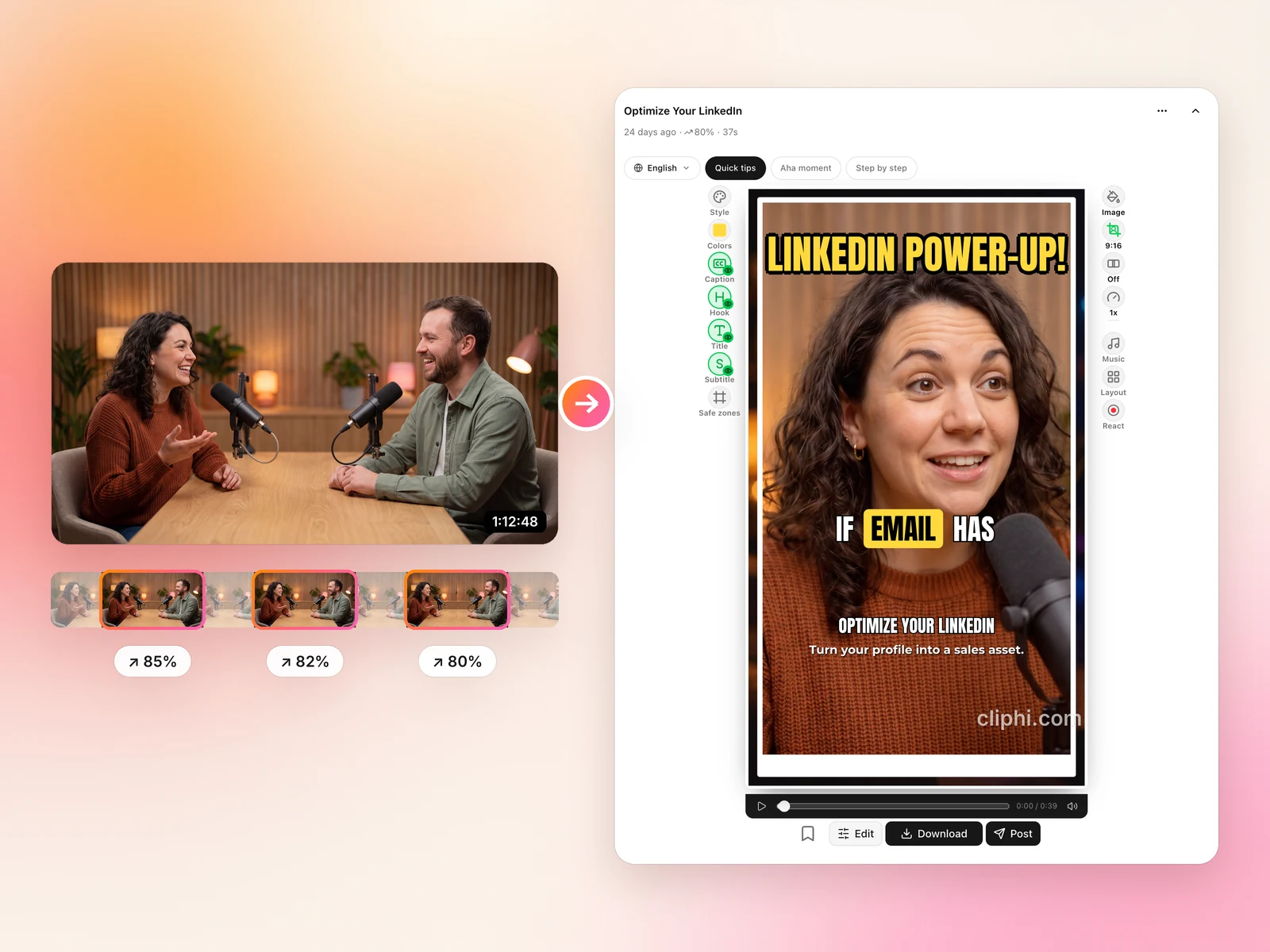
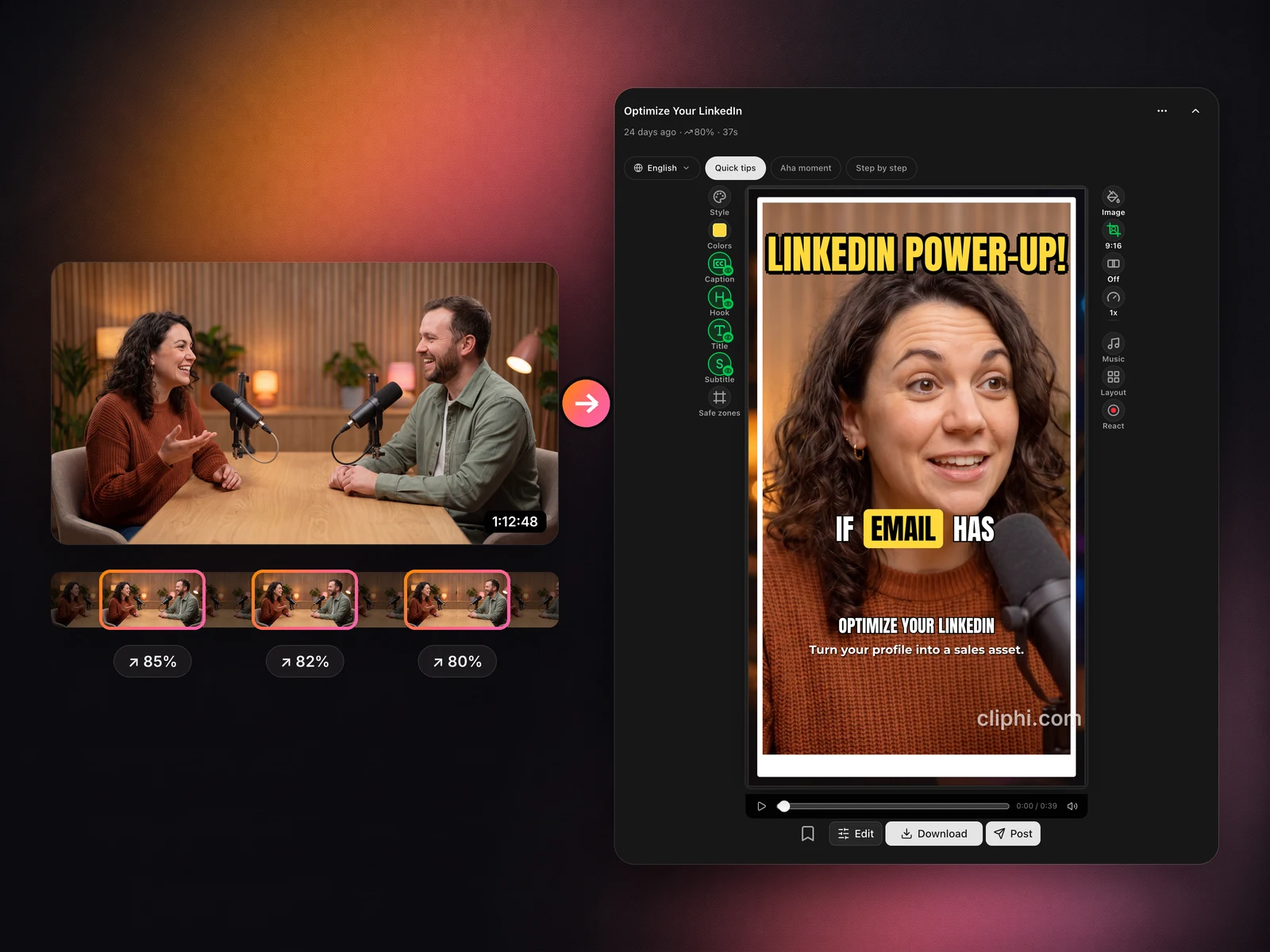
A long podcast video, the three moments Cliphi found in it with their scores, and one of them as a finished vertical clip
Speaker tracking

Every speaker stays in frame

Our active speaker detection tracks faces frame-by-frame, keeping speakers perfectly centered as they move. Multi-person content gets intelligent grid layouts.
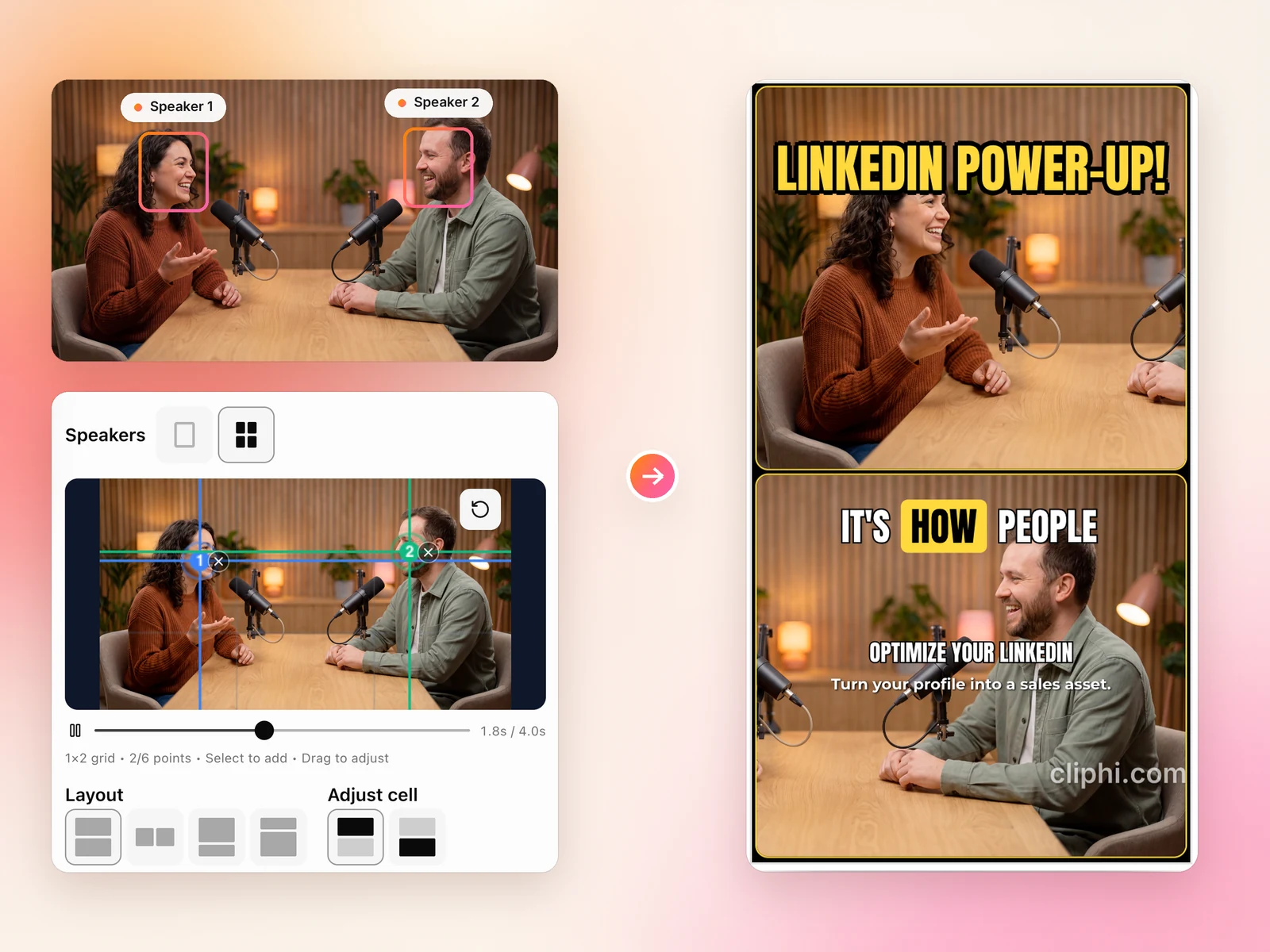
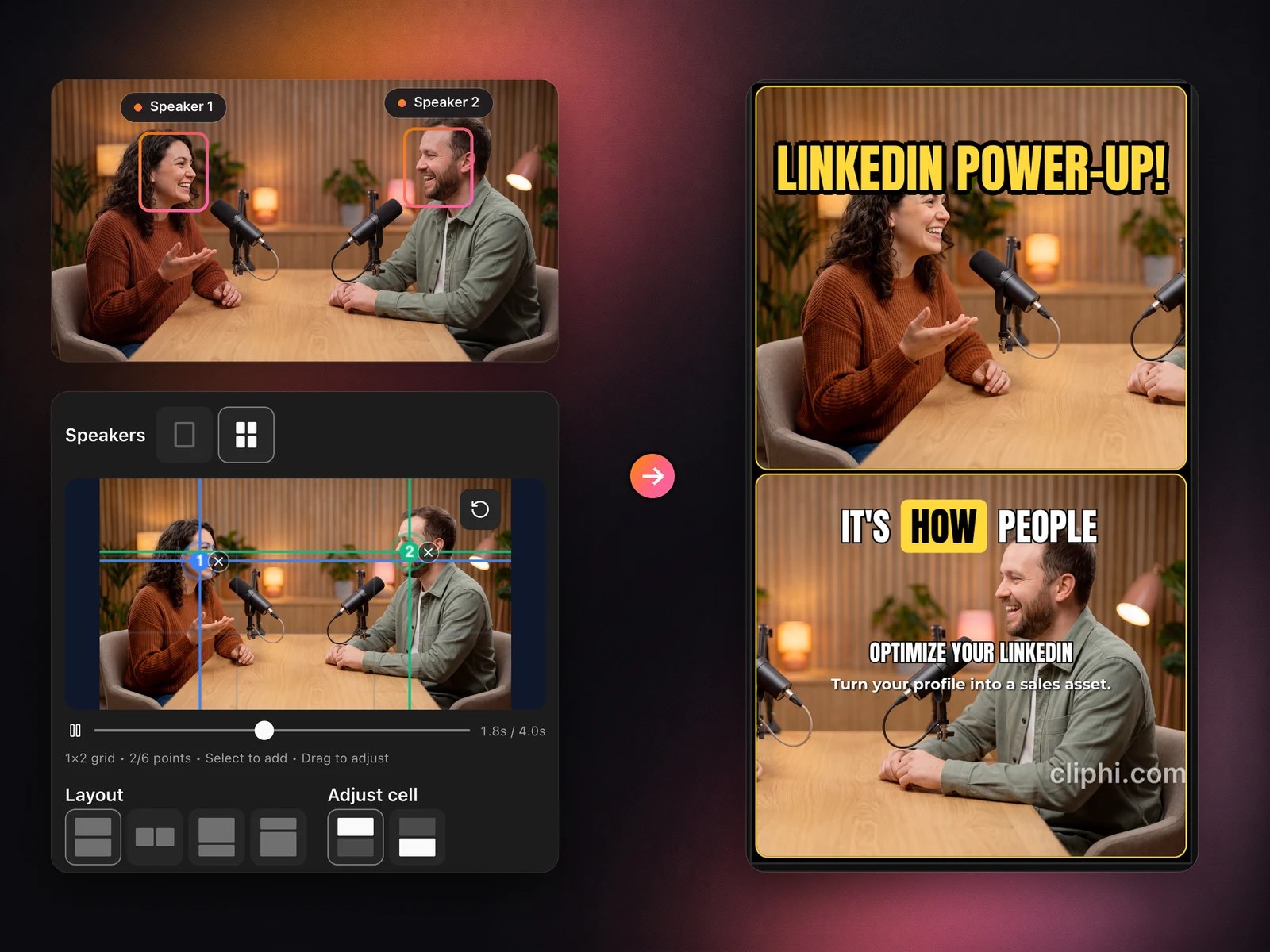
Both speakers tracked in a wide podcast shot, and the vertical clip with one speaker above the other
Animated captions

Captions that pop with every word

Word-by-word animated captions sync perfectly to speech. Customize fonts, colors, size, and position to match your brand.
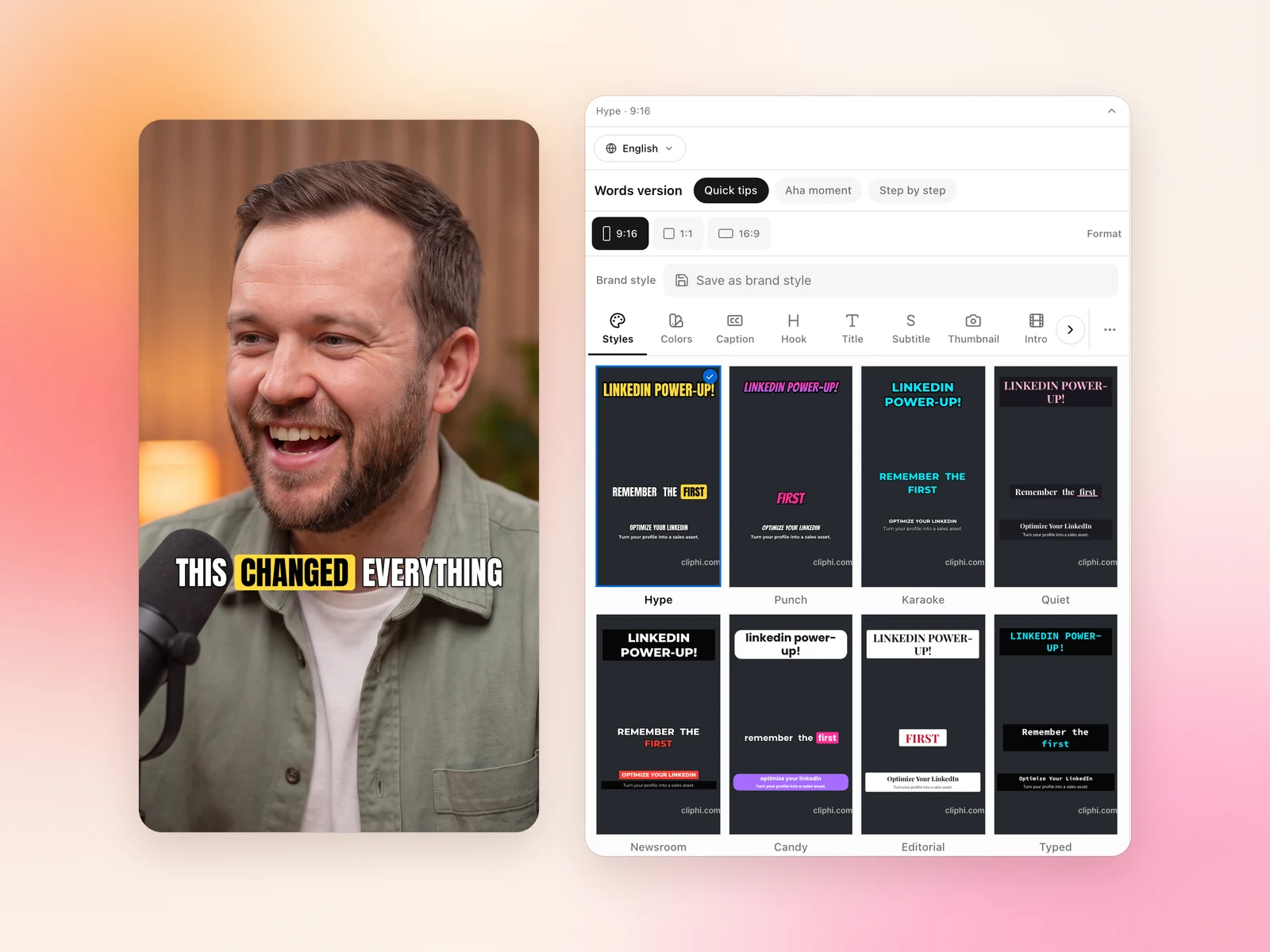
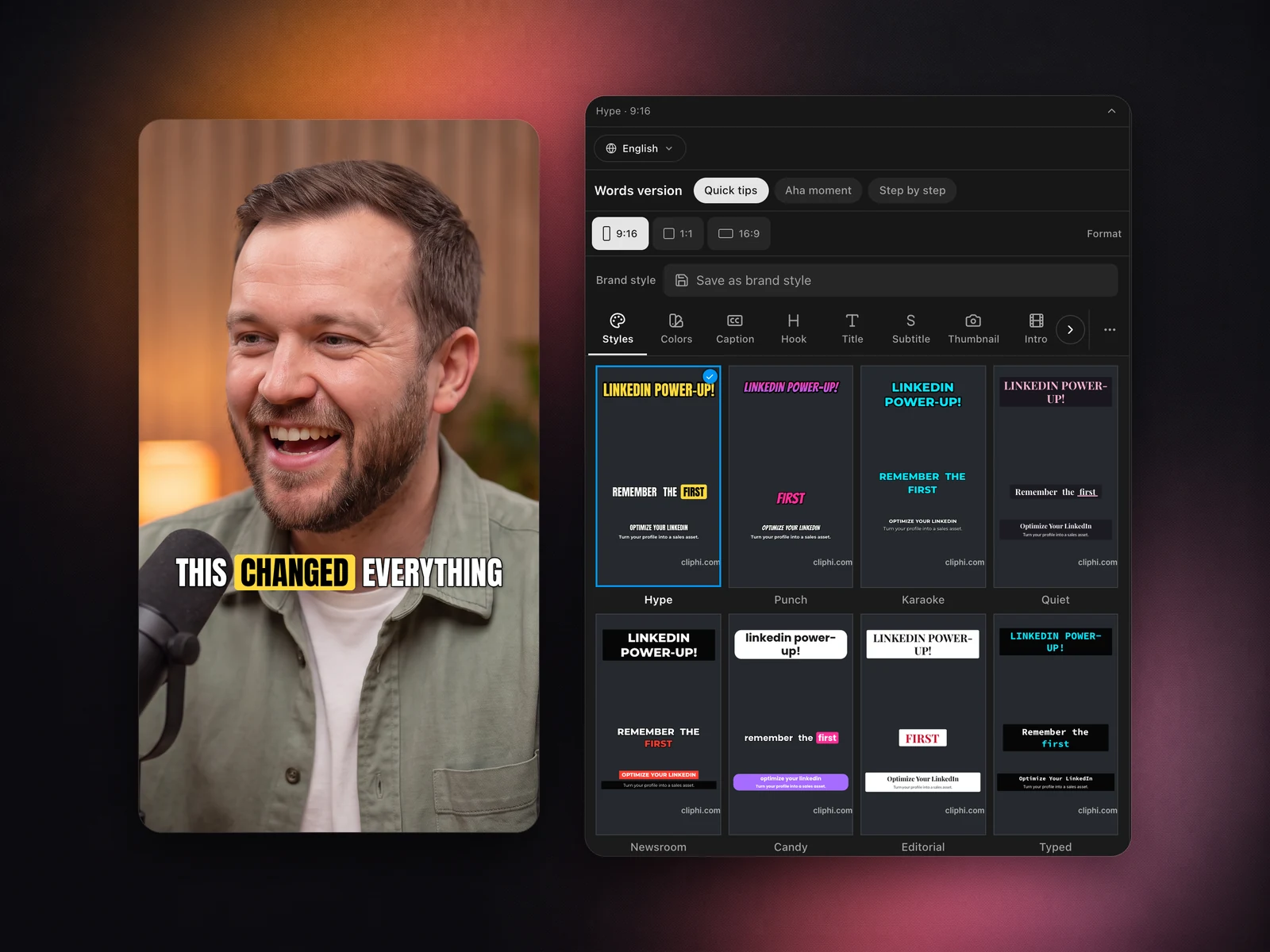
A vertical clip with a bold animated caption, next to the caption styles to pick from
AI music

Perfect soundtrack for every clip

Every clip gets a custom AI-generated instrumental that matches its mood and energy. Intelligent ducking keeps speech crystal clear while the beat plays underneath.
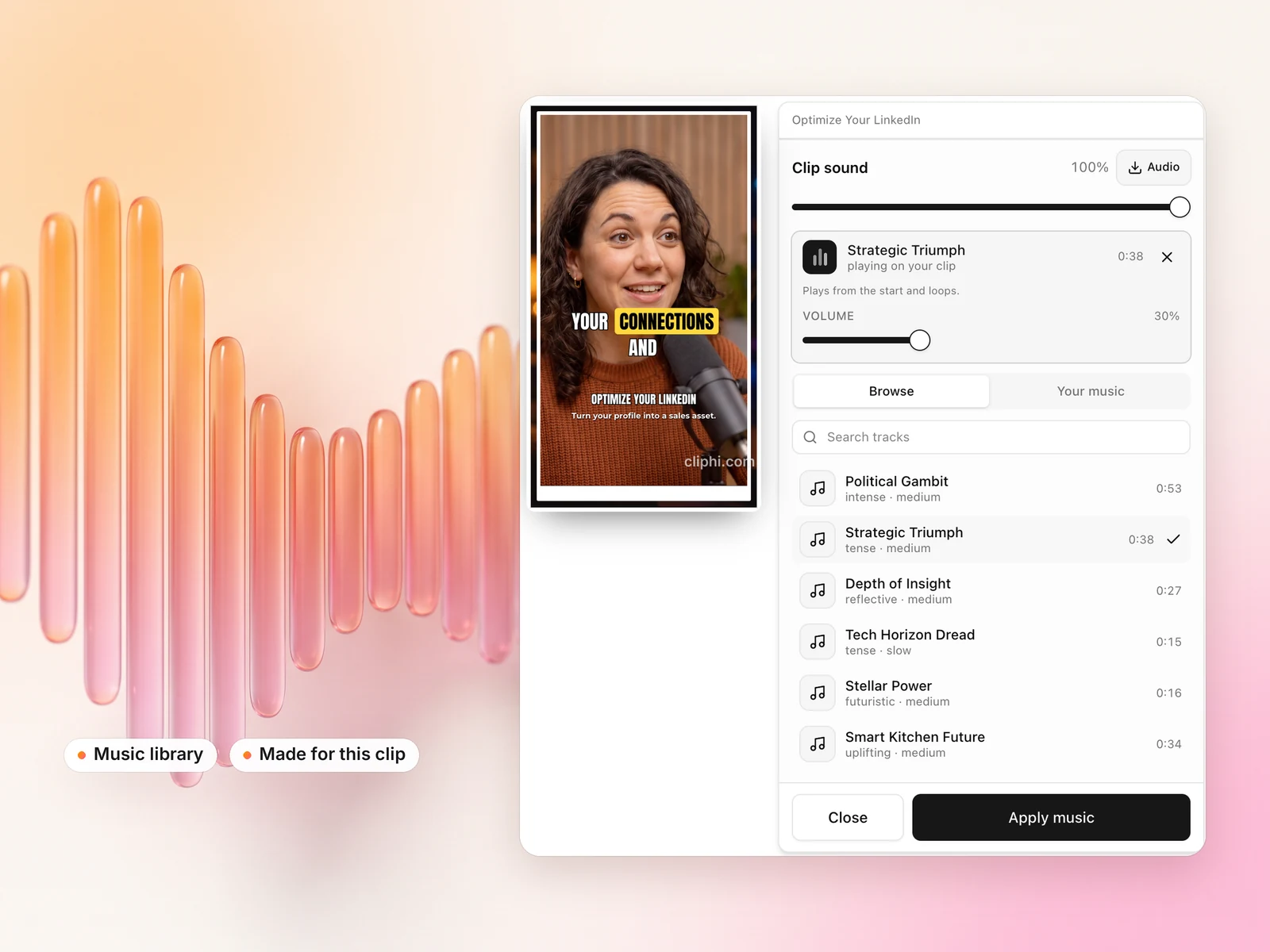
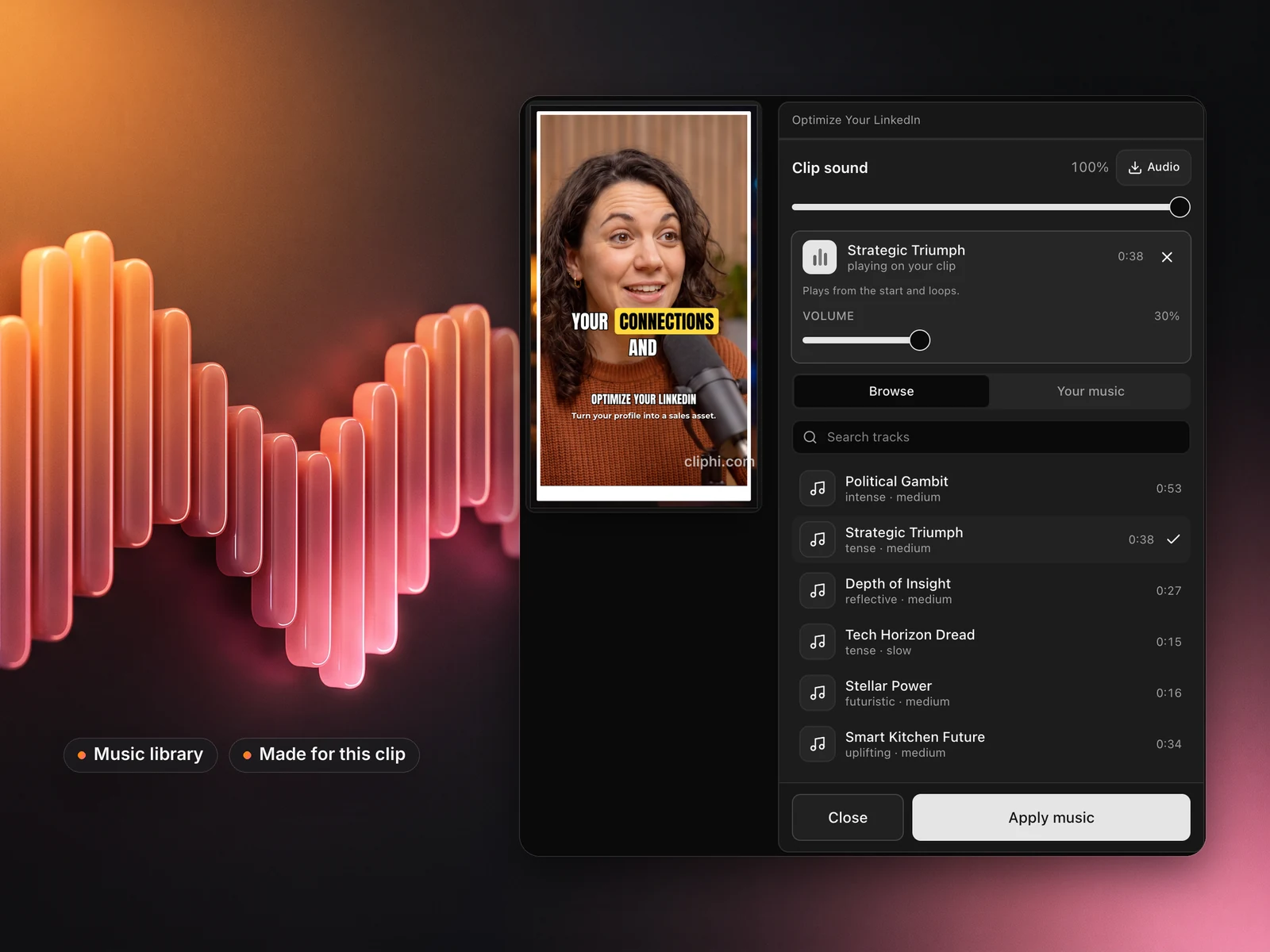
A clip with a soundtrack playing on it and the music library to pick from
React & voiceover

React to your clips

Record your face or your voice right over any clip. The original audio ducks under you automatically, and your words become the clip's animated captions.
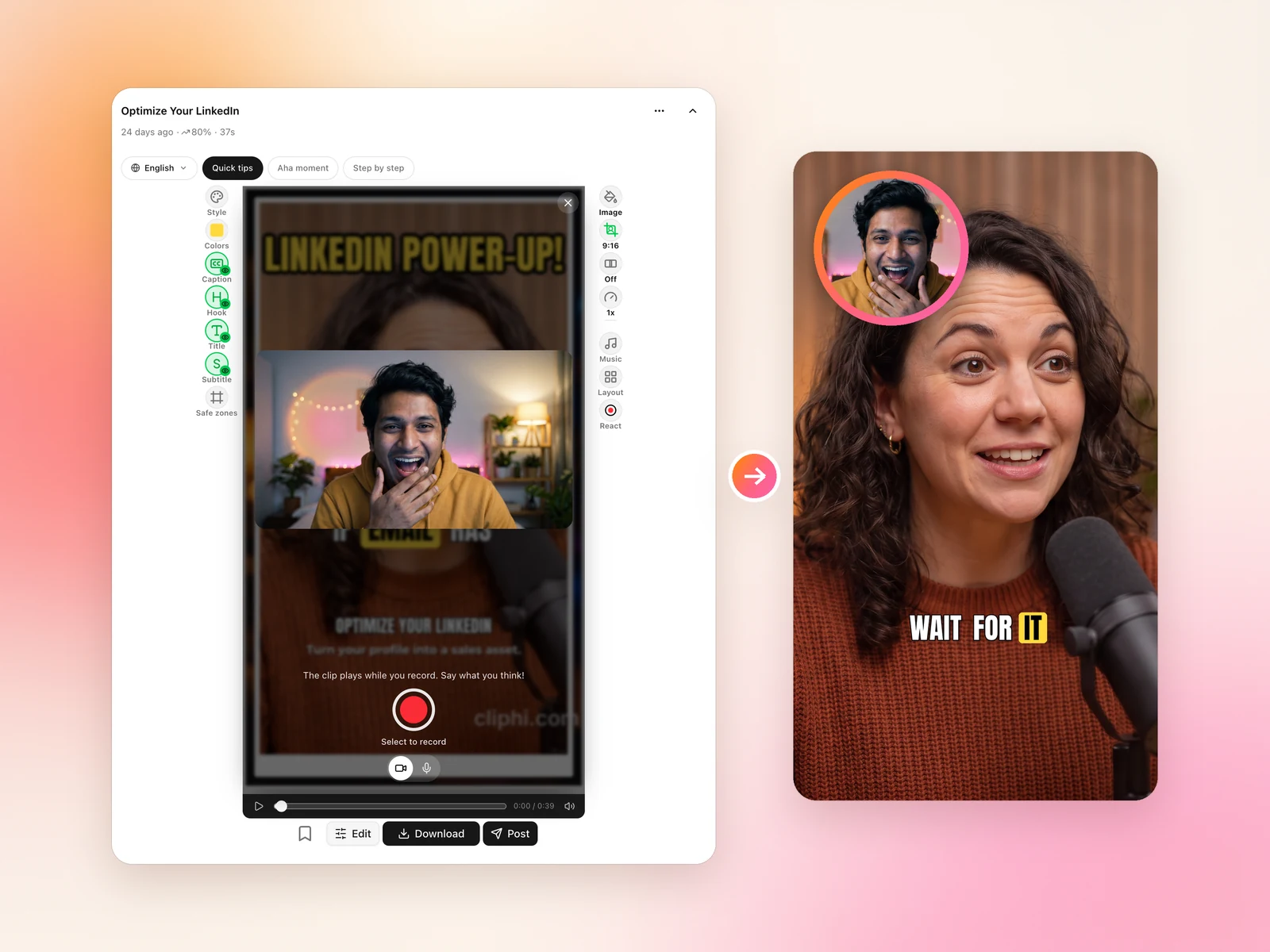
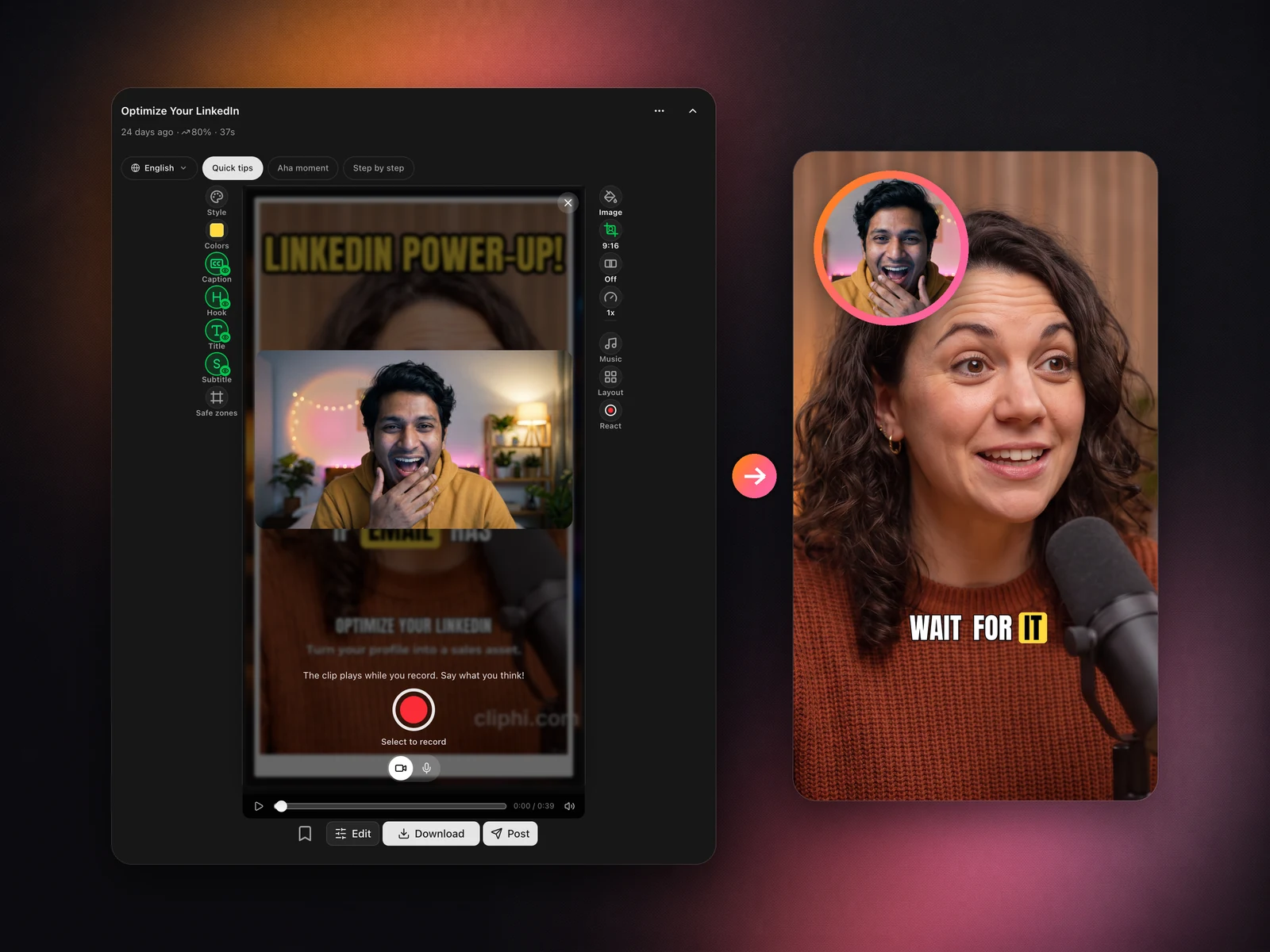
A creator recording a camera reaction over a clip, and the finished clip with their face in a bubble
How it works

From long video to viral clips in five steps

  1. Step 1

    Paste your YouTube link

    Drop your podcast episode, gaming stream, interview, tutorial, or any long video.

  2. Step 2

    AI finds the best moments

    Cliphi scans the video, finds the most engaging moments (punchlines, hype plays, insight drops, emotional peaks), and scores each on viral potential.

  3. Step 3

    Get ready-to-post clips

    Each moment becomes a complete vertical clip: animated captions, AI background music, speaker tracking, and perfect framing all applied.

  4. Step 4

    Customize if you want

    Fine-tune in our editor.

  5. Step 5

    Post or schedule

    Connect your social account to post directly or schedule for later.

FAQ

Frequently Asked Questions

Yes, on Android: get the Cliphi app on Google Play. Cliphi also works in any browser at cliphi.com, on your phone or computer, with nothing to install. Install the app only from Google Play: we don't publish an APK anywhere else, so a "Cliphi APK" from another site is not from us and we can't vouch for what it does.

Yes. On Android, use the Cliphi app on Google Play or your browser. On iPhone, use Safari or any other browser. Paste a link, get clips, then download or post them, all from the phone. A bigger screen is more comfortable for long editing sessions, but nothing is desktop-only.

Use Cliphi in any browser at cliphi.com, or on Android get the Cliphi app on Google Play. Your clips are ordinary video files. Download any finished clip from its Download button, or post it directly to a connected YouTube, TikTok, Instagram, Facebook, Threads or X account.

Paste any YouTube link: a podcast episode, gaming stream, interview, tutorial, or any long video. Cliphi's AI scans it, finds the most engaging moments, and turns each into a ready-to-post vertical clip with animated captions, AI background music, and active speaker tracking. Livestreams work too. Processing starts while the stream is still live.

Yes. Paste your podcast's YouTube URL (or any long-form video) and Cliphi generates vertical 9:16 clips optimized for TikTok, Instagram Reels, and YouTube Shorts. Every clip includes word-by-word captions, background music, and speaker framing, ideal for podcasts, gaming content, interviews, tutorials, and reviews.

Cliphi scans the whole video and analyzes speech, energy, and engagement signals. It surfaces moments most likely to go viral: punchlines in podcasts, hype plays in gaming, insight drops in interviews, emotional peaks in any content. Each moment gets a viral-potential score so you know what's worth posting first. Custom prompts let you hunt for specific kinds of moments too.

Yes. Connect your social account to post clips directly from Cliphi or schedule them for later. You can also download each clip ready to post anywhere, with the right aspect ratio, captions, and post descriptions generated for you.

No. Every clip comes ready to post: animated captions, background music, speaker framing, and post descriptions are all generated for you. You can polish in our editor if you want (trim timing, swap music, add your logo), but most creators post clips exactly as generated.

Yes. Open any clip and tap the record button to react over it, with your camera in a draggable bubble or voice only. The original audio ducks under you and your words become the captions.

Most individual clips render in 2 to 5 minutes. Long videos (a 2-hour podcast, for example) take proportionally longer overall, but clips become available as they finish. You don't have to wait for the full batch. Track live progress in your dashboard and post as soon as each clip is ready.

Cliphi generates clips in three aspect ratios: 9:16 (vertical, for TikTok, Reels, Shorts), 1:1 (square, for Instagram feed), and 16:9 (horizontal, for YouTube). All clips include smart cropping, auto-generated captions, and platform-optimized formatting.

“Cliphi saved me 10+ hours on my last livestream. Now I just paste the URL and the AI finds all the highlights for me.”

StreamerMike

Get started with Cliphi.