Clip a Kick stream
Turn a long Kick broadcast into short, captioned clips for TikTok, Reels, and Shorts. Paste the link and Cliphi finds the best moments.
Kick streams can run for hours, and the moment worth posting is usually buried in the middle. Cliphi watches the whole thing, finds the best moments, and turns each one into a short clip with captions on it.
Before you start
You need a link to your Kick video. There are three kinds, and any of them works:
- A past broadcast. Your whole stream after it ends. On Kick, open your channel, find the broadcast, and copy the link from your browser's address bar.
- A clip. A short bit already snipped from a stream. Open the clip on Kick and copy its link.
- A stream that's still going. Paste your channel link while you are live and clips can come back before you finish.
Your plain channel link only works while you are actually live. Once the stream ends, grab the past broadcast instead.
Steps
1. Paste the link
On the Cliphi home page, paste your Kick link into the box and select Get clips.

2. Choose how much to use
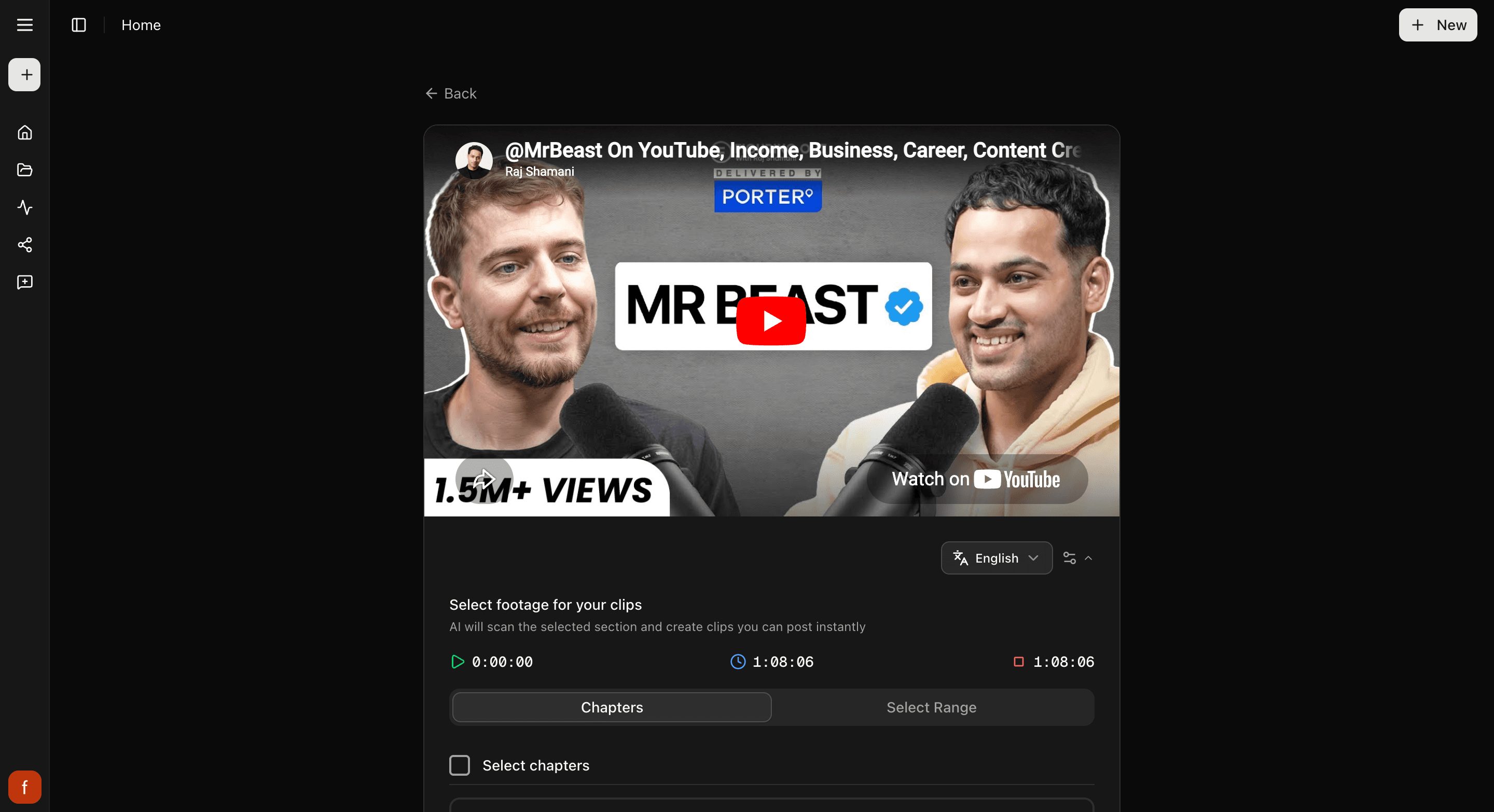
A broadcast can run for hours, so Cliphi shows you the video and lets you point it at the right part. Use the whole thing, or drag the handles to pick just the stretch you care about. Then select Continue.
3. Look through your clips
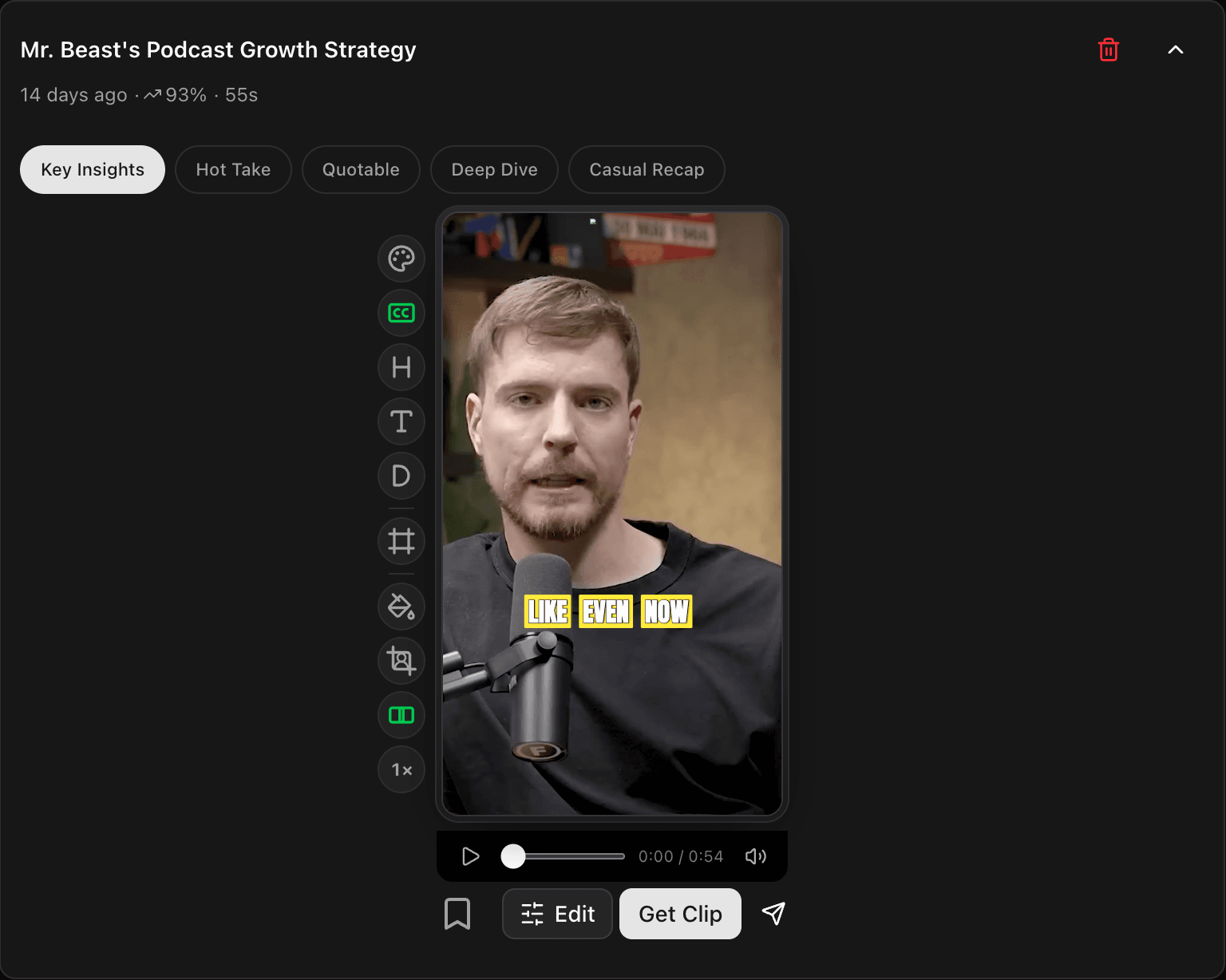
Cliphi makes your clips and they show up one at a time, each cut tall with the speaker in frame and captions already on it. Play any clip to see how it feels.
4. Tweak and post
Open a clip to change the look with the controls down the side, then tap Get Clip to make the final version and download it, or Share to post it.
Quick check before you post
- Watch the whole clip through.
- The speaker stays in frame the whole way.
- The captions read clearly and sit clear of the edges.
Related
- New to Cliphi? Make your first clips.
- What each control does: The quick edit rail.
- Posting to TikTok? Turn a Kick stream into a TikTok.
- Posting to Shorts? Kick to YouTube Shorts.
- Posting to Reels? Kick to Instagram Reels.
Last updated on
Clip a Twitch stream
Turn a long Twitch recording into short, captioned clips for TikTok, Reels, and Shorts. Paste the link and Cliphi finds the best moments for you.
Turn a podcast into clips
A podcast episode is full of clip-worthy moments. Paste its YouTube link and Cliphi pulls out the best bits with captions, ready to post.