Save a style preset
Style a clip the way you like, then save that look and reuse it on every clip after, in one tap.
Cliphi comes with ready-made looks you can tap to apply. Once you have a clip styled just how you like it, you can also save that look as your own and reuse it on every clip after. Your saved look is called a Brand Style.
Start from a ready-made look
Open a clip and tap Presets to see a grid of ready-made looks. Tap one to try it on your clip, and switch until you find a starting point you like.
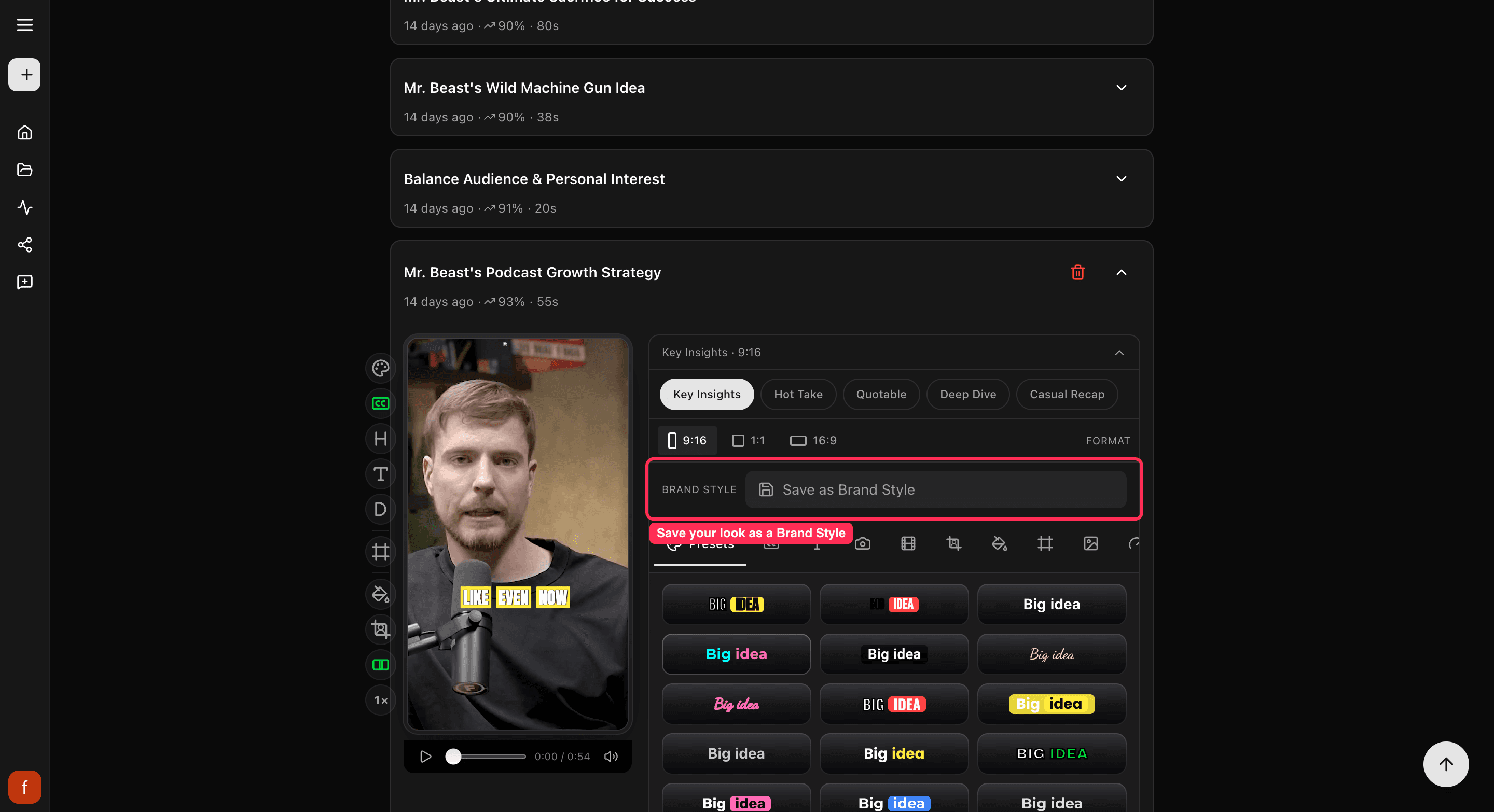
Save your own look
Once the clip looks the way you want, with the captions, colors, and text set up your way, save it:
- At the top of the edit panel, tap Save as Brand Style.
- Give it a name, like "My channel," and tap Save.
Your look is now saved to your account, not just this one clip.
Reuse it on any clip
On any other clip, open the Brand Style menu at the top of the edit panel and pick your saved style. Cliphi puts the whole look on that clip at once, so you do not have to set it up again.
What's next
- Add your logo too: Set up your brand kit.
- What every control does: The quick edit rail.
Last updated on