Clip a YouTube video
Paste a YouTube link and Cliphi turns the video into short, captioned clips for TikTok, Reels, and Shorts. Here is how.
YouTube is where most long videos live, so it is the easiest place to start. Paste a link to any public video, and Cliphi watches it, finds the best moments, and turns each one into a short clip with captions on it.
Before you start
You need the link to a public YouTube video. Open the video on YouTube and copy the link from your browser's address bar, or use the video's Share button. A regular video, a Short, or a past livestream all work. Keep it under about 3 hours, and if it is longer, you can point Cliphi at just one part.
Steps
1. Paste the link
On the Cliphi home page, paste your YouTube link into the box and select Get clips.

2. Choose how much to use
Cliphi shows you the video. Use the whole thing, or pick one part. Many YouTube videos come with chapters, so you can jump straight to the section you want, or drag the handles to choose a stretch. Then select Continue.
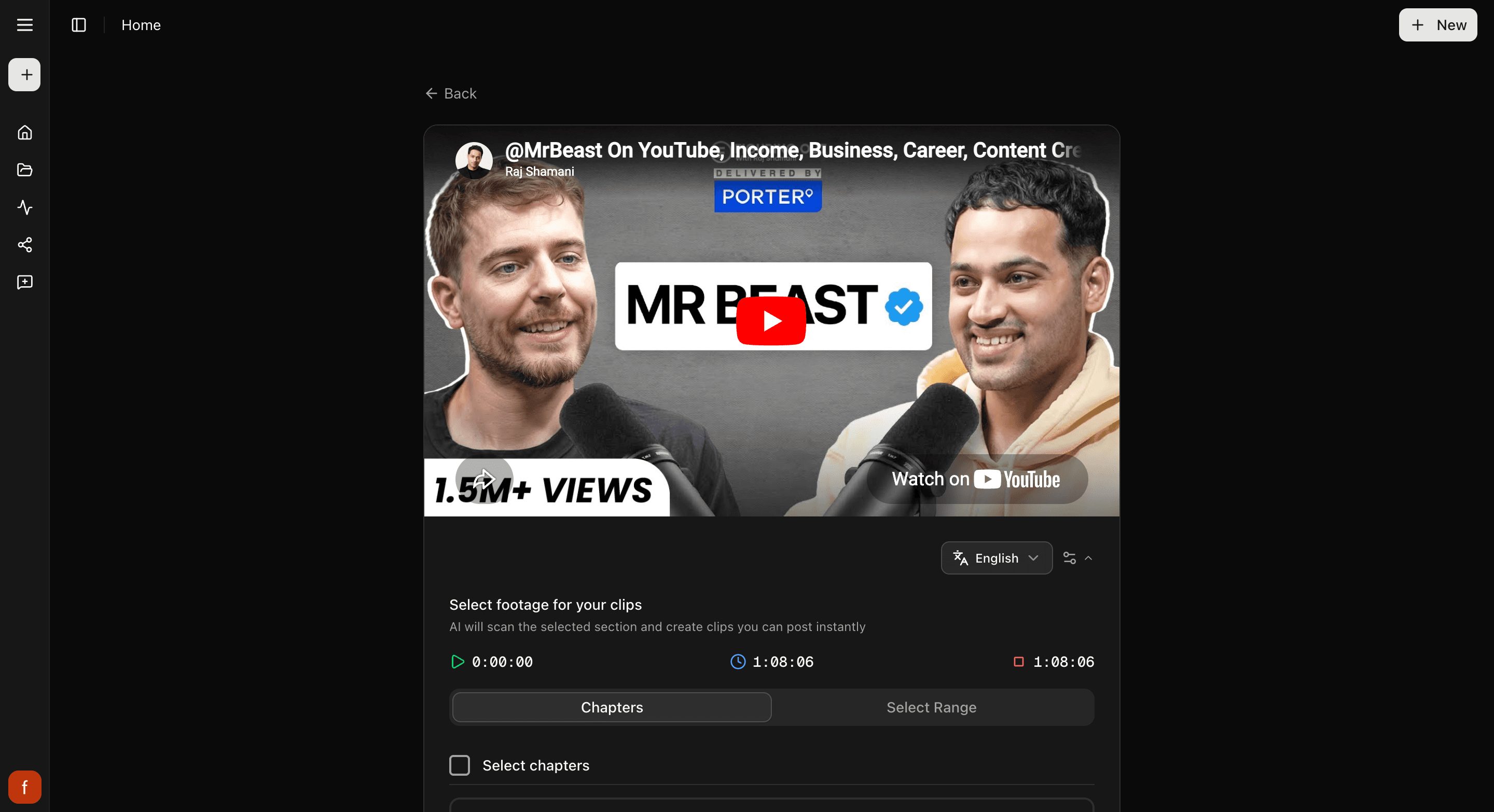
3. Look through your clips
Cliphi makes your clips and they show up one at a time. Each one is cut tall with the speaker kept in frame and captions already on it. Play any clip to see how it feels.
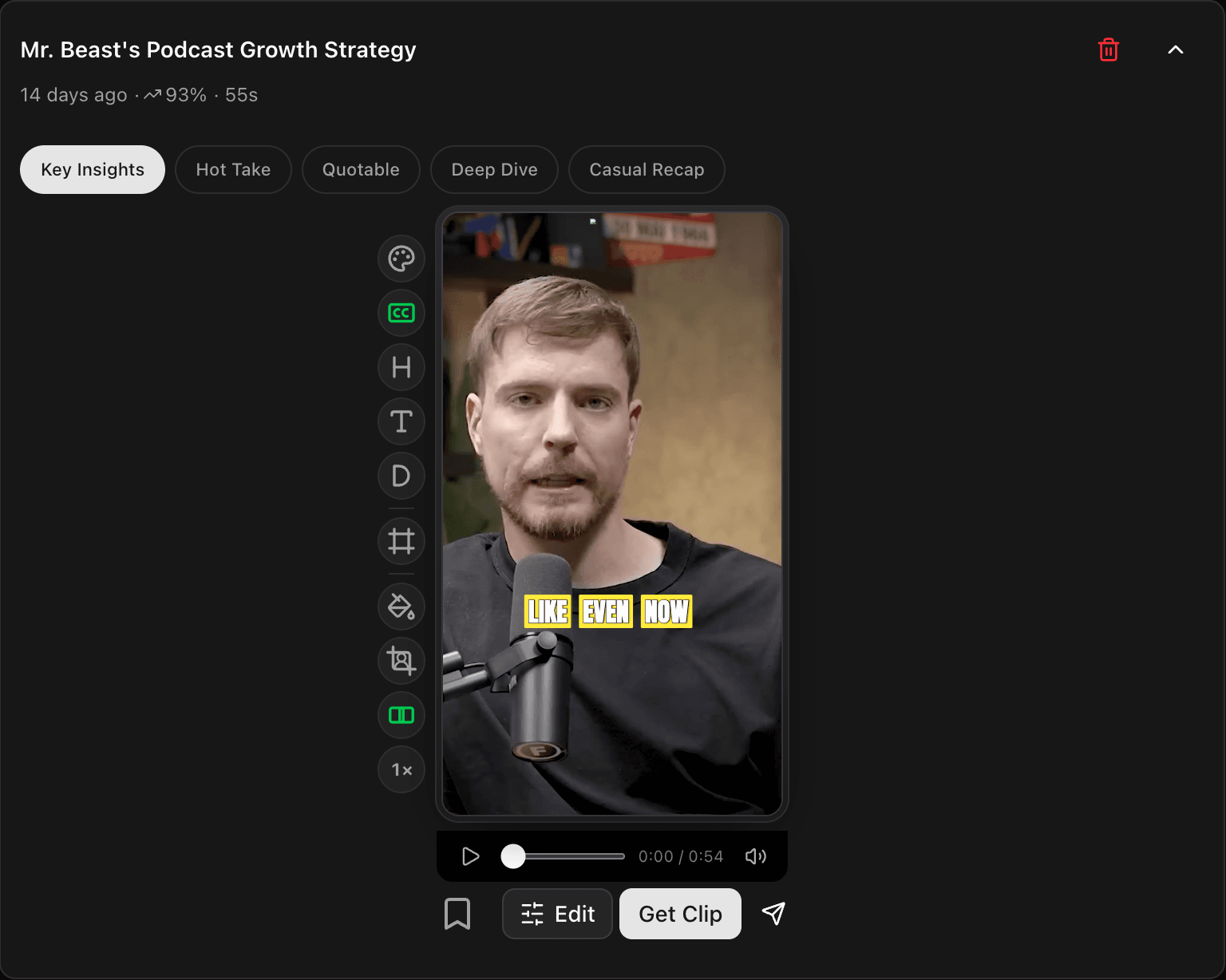
4. Tweak and post
Open a clip to change the look with the controls down the side, then tap Get Clip to make the final version and download it, or Share to post it.
Quick check before you post
- Watch the whole clip through.
- The speaker stays in frame the whole way.
- The captions read clearly and sit clear of the edges.
Related
- New to Cliphi? Make your first clips.
- What each control does: The quick edit rail.
- Clipping a stream instead? Clip a YouTube livestream.
- Posting to TikTok? Turn a YouTube video into a TikTok.
- Posting to Shorts? YouTube to YouTube Shorts.
- Posting to Reels? YouTube to Instagram Reels.
Last updated on
Is Cliphi an app? Where to get it
Cliphi runs in your browser at cliphi.com. There is no APK, no desktop installer and no app store listing, and anything calling itself a Cliphi APK is not from us.
Clip a YouTube livestream
Clip a YouTube livestream while it is still going, so a highlight can go out before the stream even ends. Here is how.